
WordPress plugins
WORDPRESS PLUGINS BY IF MEDIA
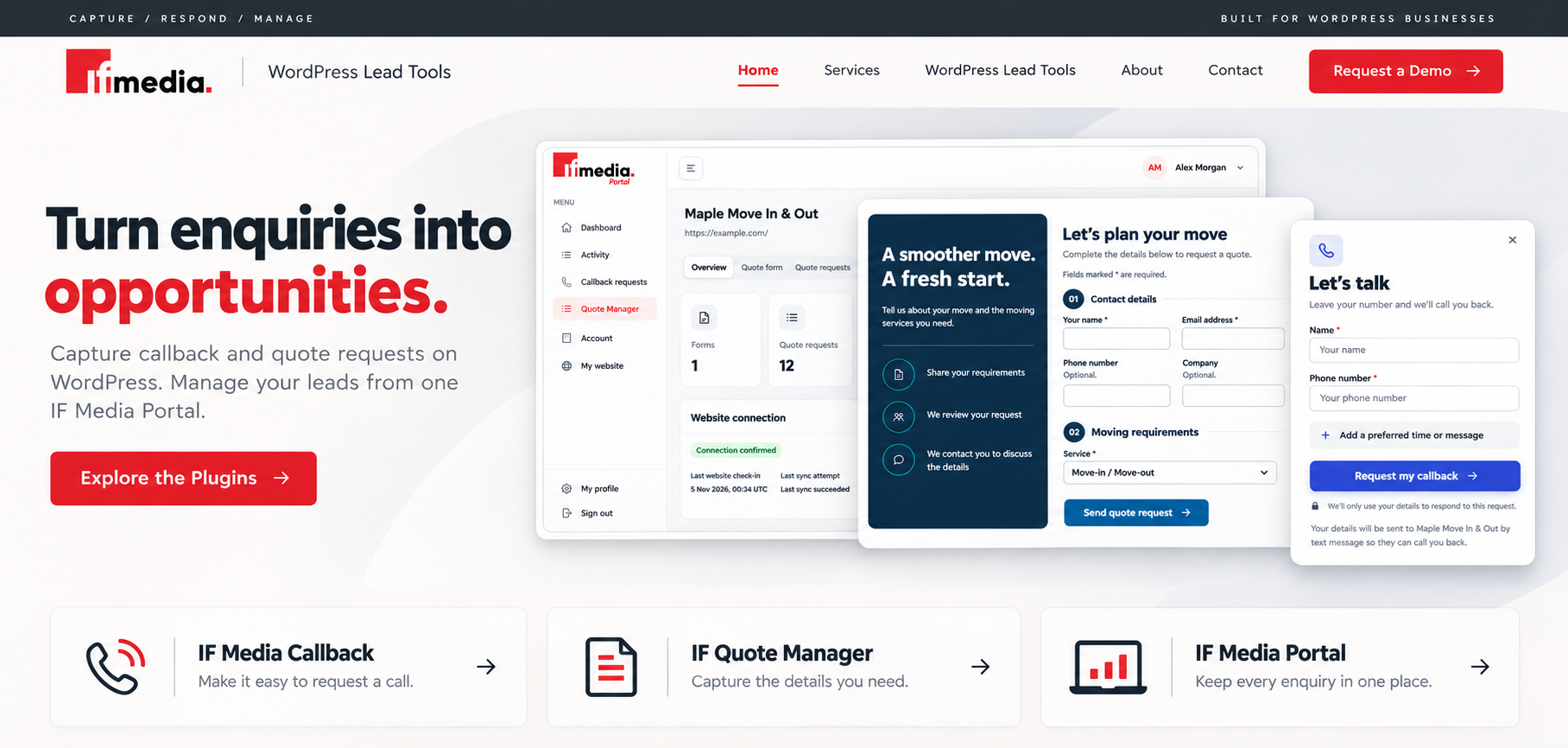
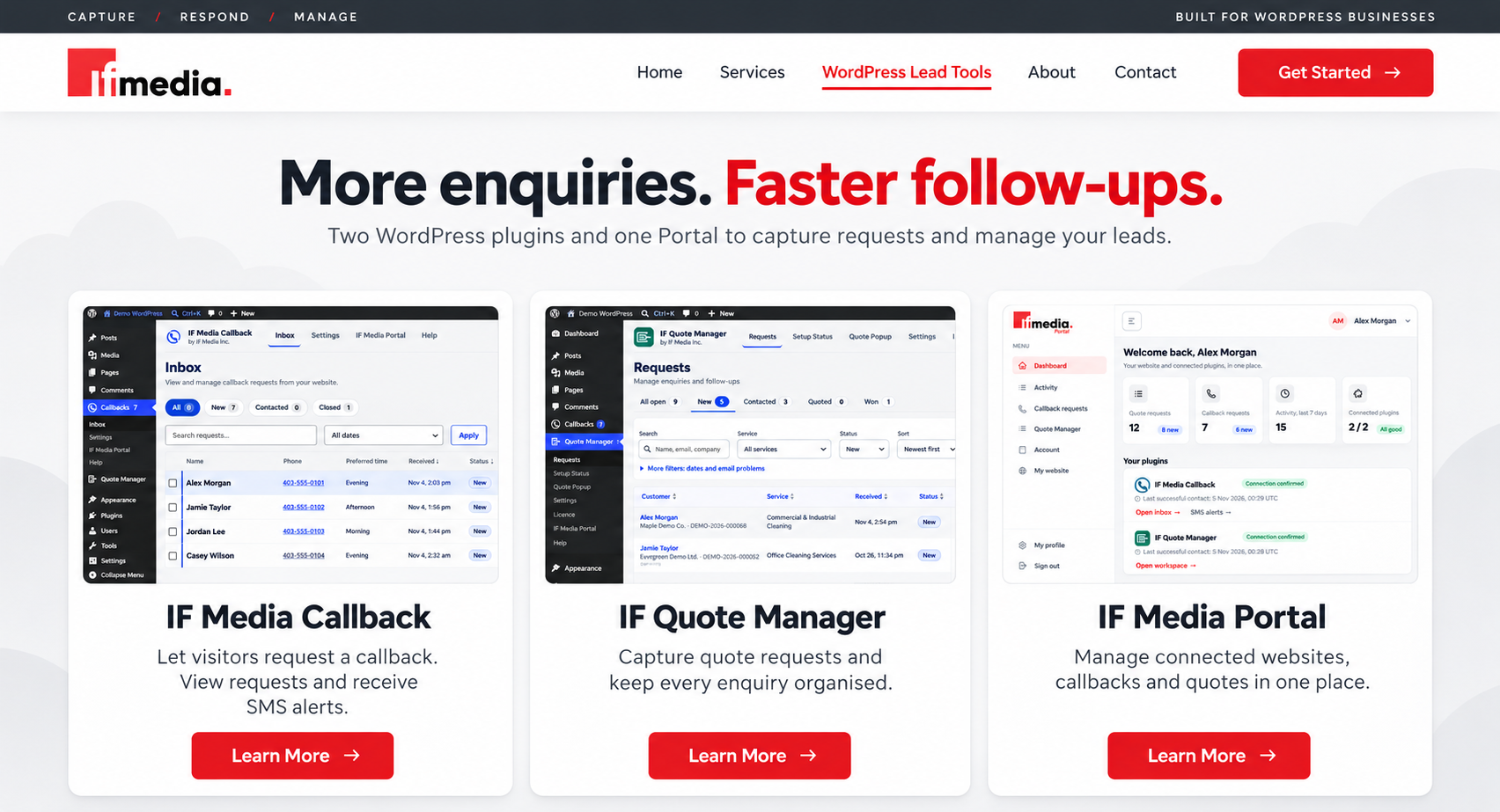
Give visitors a straightforward way to request a callback or ask for a quote. IF Media’s WordPress plugins help you collect enquiries and organize follow-ups, with optional Portal management and SMS alerts.
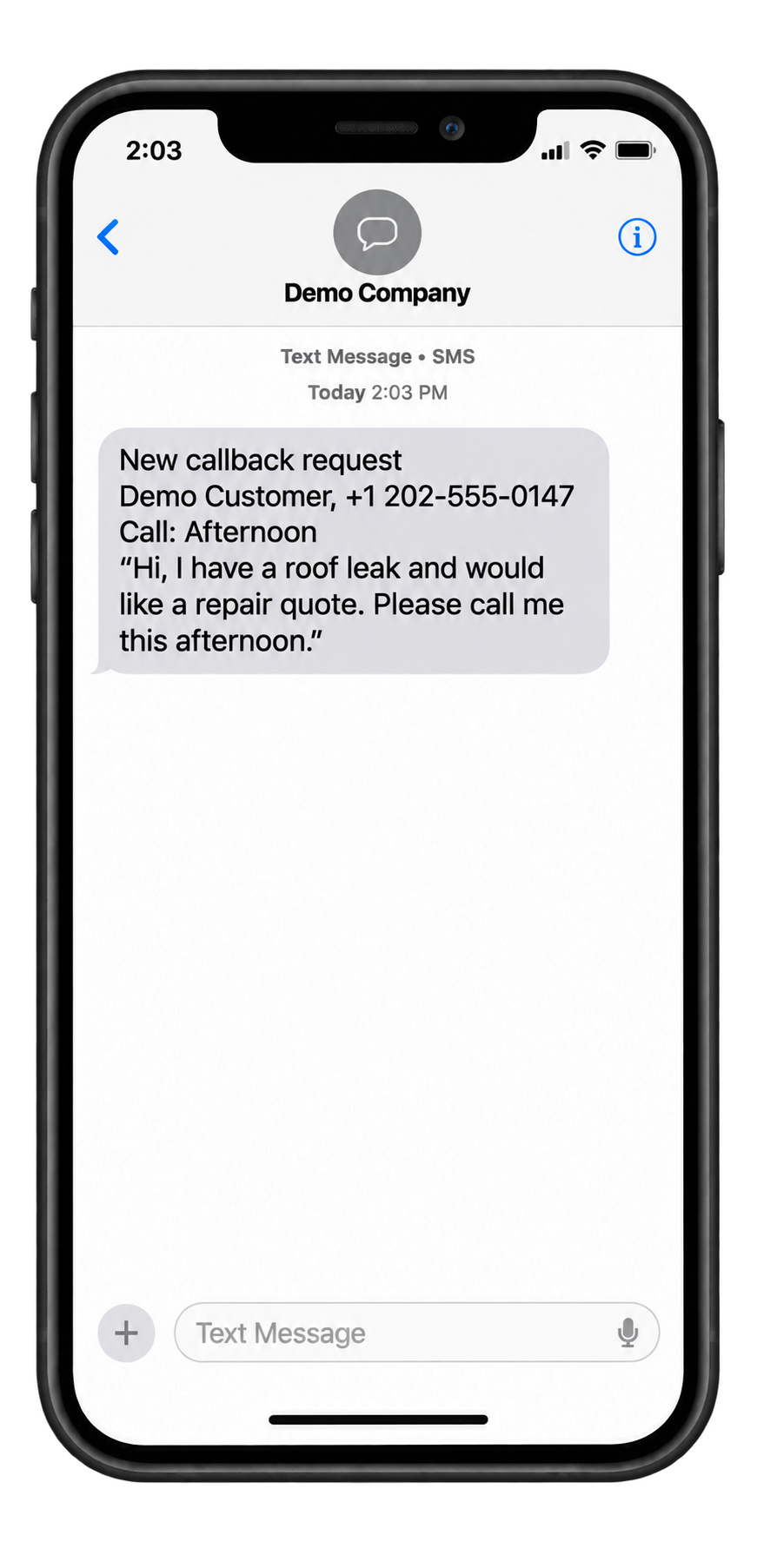
Busy on a Job? Get Callback Requests by Text.
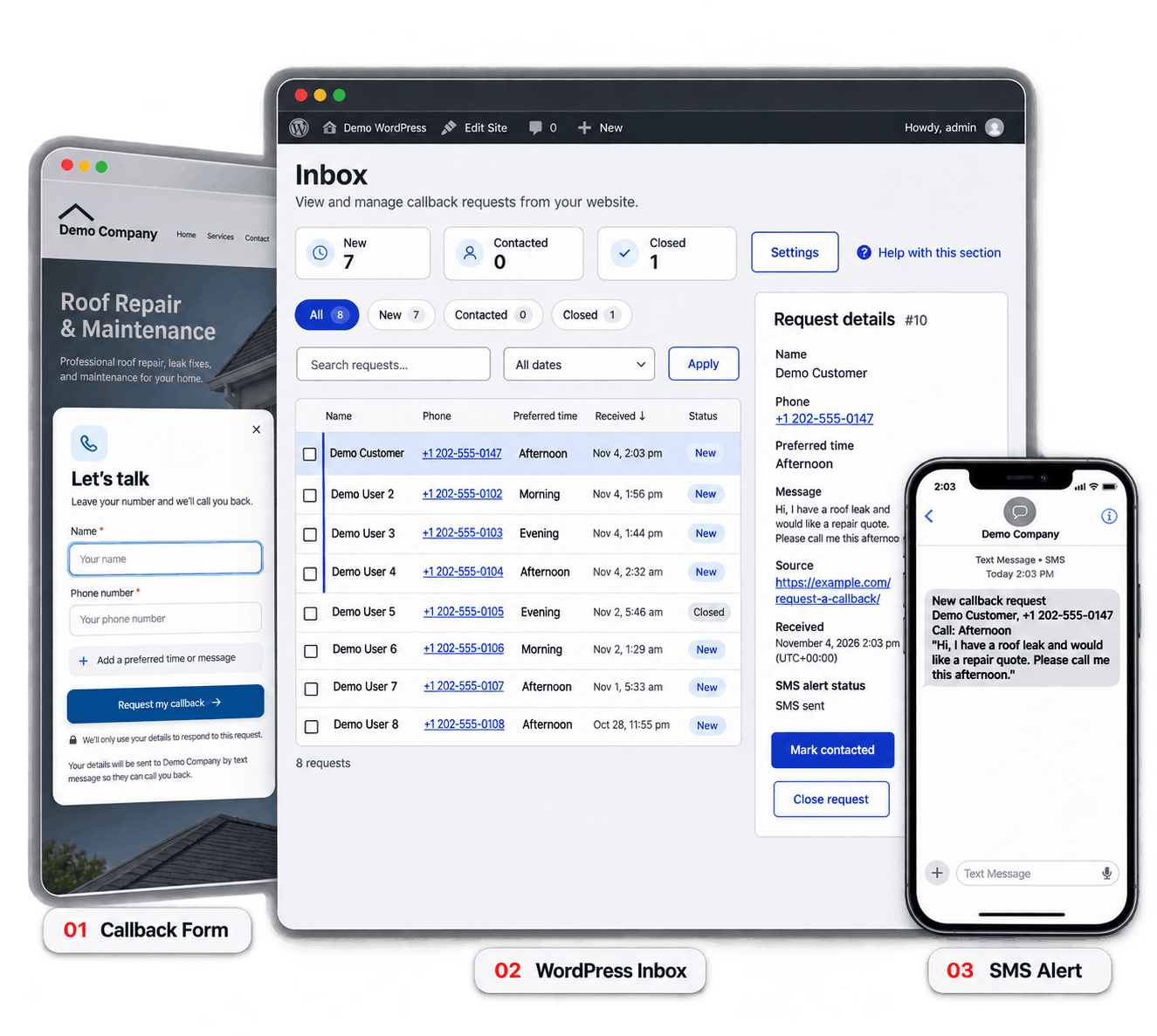
Website enquiries can sit unseen while you’re working. With optional SMS alerts, IF Media Callback sends the customer’s name, phone number, preferred time, and message to your phone so you can follow up sooner.
Requests are saved in WordPress, and you can connect to IF Media Portal to manage follow-ups from one dashboard.
IF MEDIA CALLBACK
From Callback Request to Your Next Conversation.
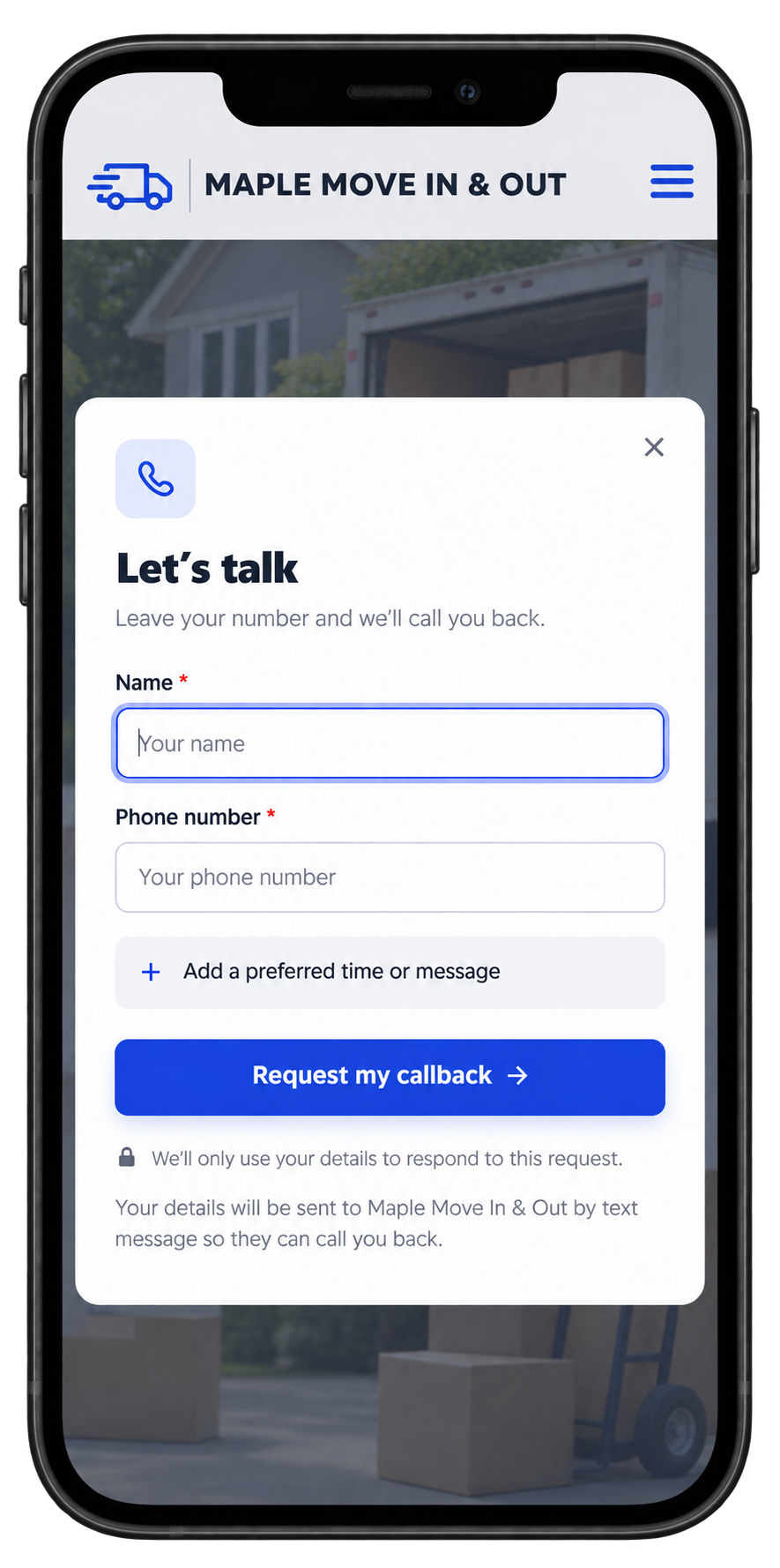
Give customers a simple way to ask you to call them. Collect their name, number, preferred time, and message, then review requests in your WordPress inbox.
1. Make Contact Easy
Add a callback button or embedded form so visitors can leave their details while browsing your website.
2. Keep Requests Organised
View incoming requests and update their status as you contact customers and close enquiries.
3. Get Alerts on Your Phone
Connect to IF Media Portal and enable optional SMS alerts to receive callback details while you’re away from your computer.
Get the Details You Need to Prepare a Quote.
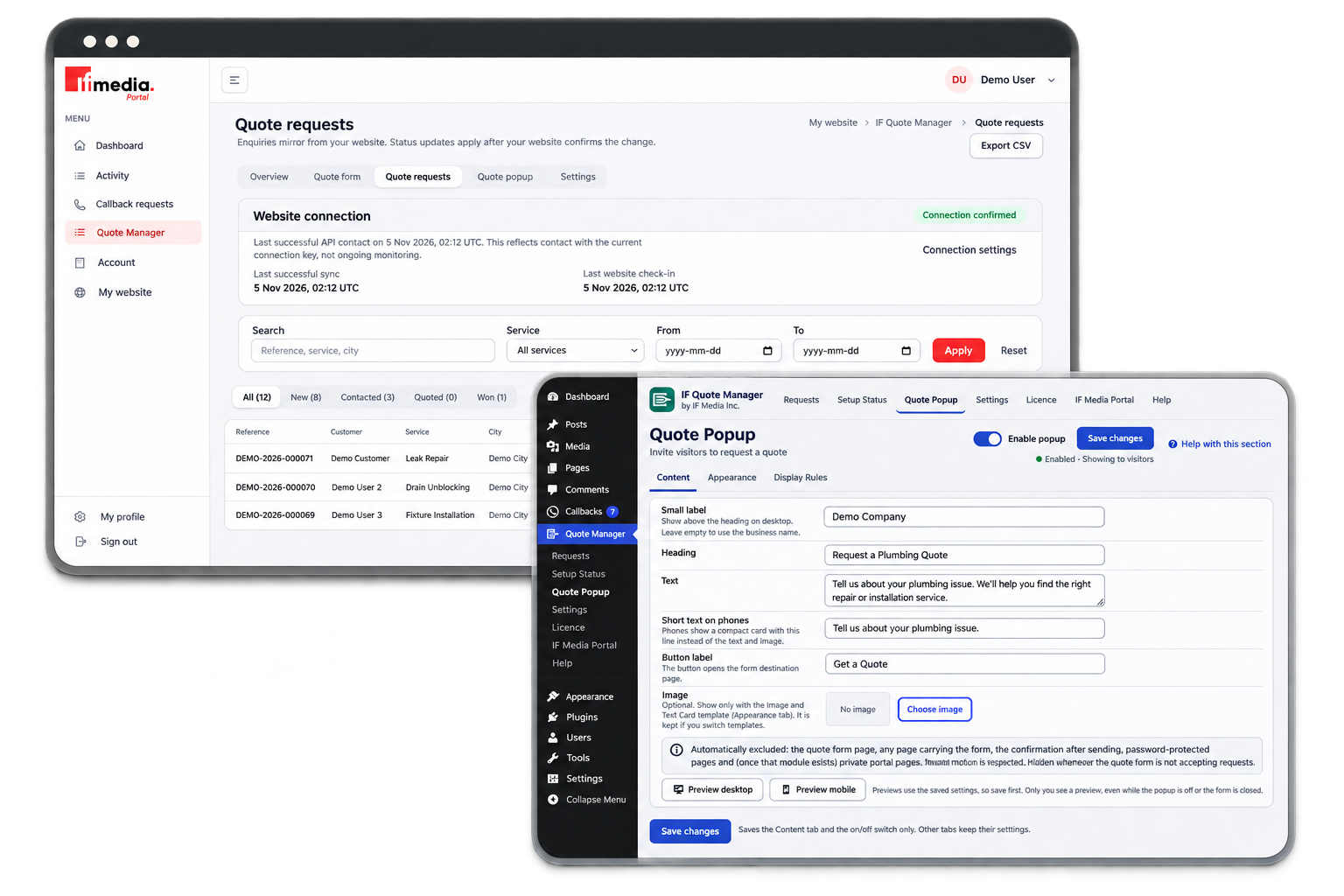
Give customers a clear way to explain what they need. IF Quote Manager collects their contact information, selected service, and project details through a form on your WordPress website.
Review requests in your WordPress dashboard, keep track of follow-ups, and connect to IF Media Portal to manage enquiries alongside your callback requests.
- Customize service options to suit your business.
- Collect useful job details before you call.
- Keep requests organised with references and statuses.
IF MEDIA PORTAL
Every enquiry. One place to follow up.
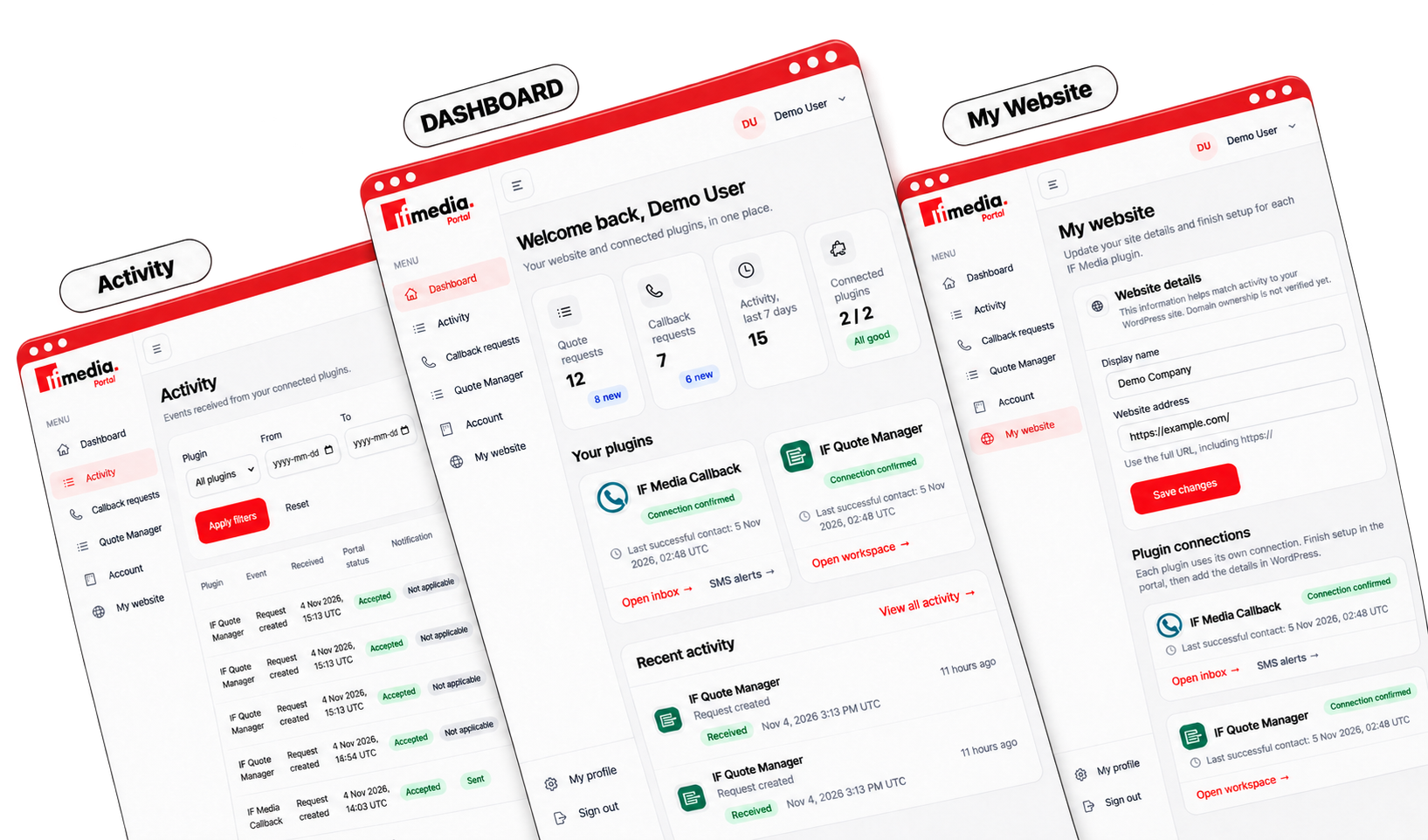
Callback and quote requests from your WordPress website come together in one dashboard. See who got in touch, what they need, and where each request stands.
Update a request’s status as you follow up, and your website stays in step. Turn on SMS alerts to get a text when a customer asks for a callback, even when you’re away from your desk.
This is a Showcase page for Molti is also Included in the Child Theme. You can start by seeing Demos by clicking here.

See How IF Media Applications Could Work for Your Business
Request a demo of IF Media Callback, IF Quote Manager, and the Portal. We’ll walk you through collecting enquiries, managing follow-ups, and setting up optional callback text alerts for your team.