
Never miss a lead
Every website lead, answered while it’s still hot.
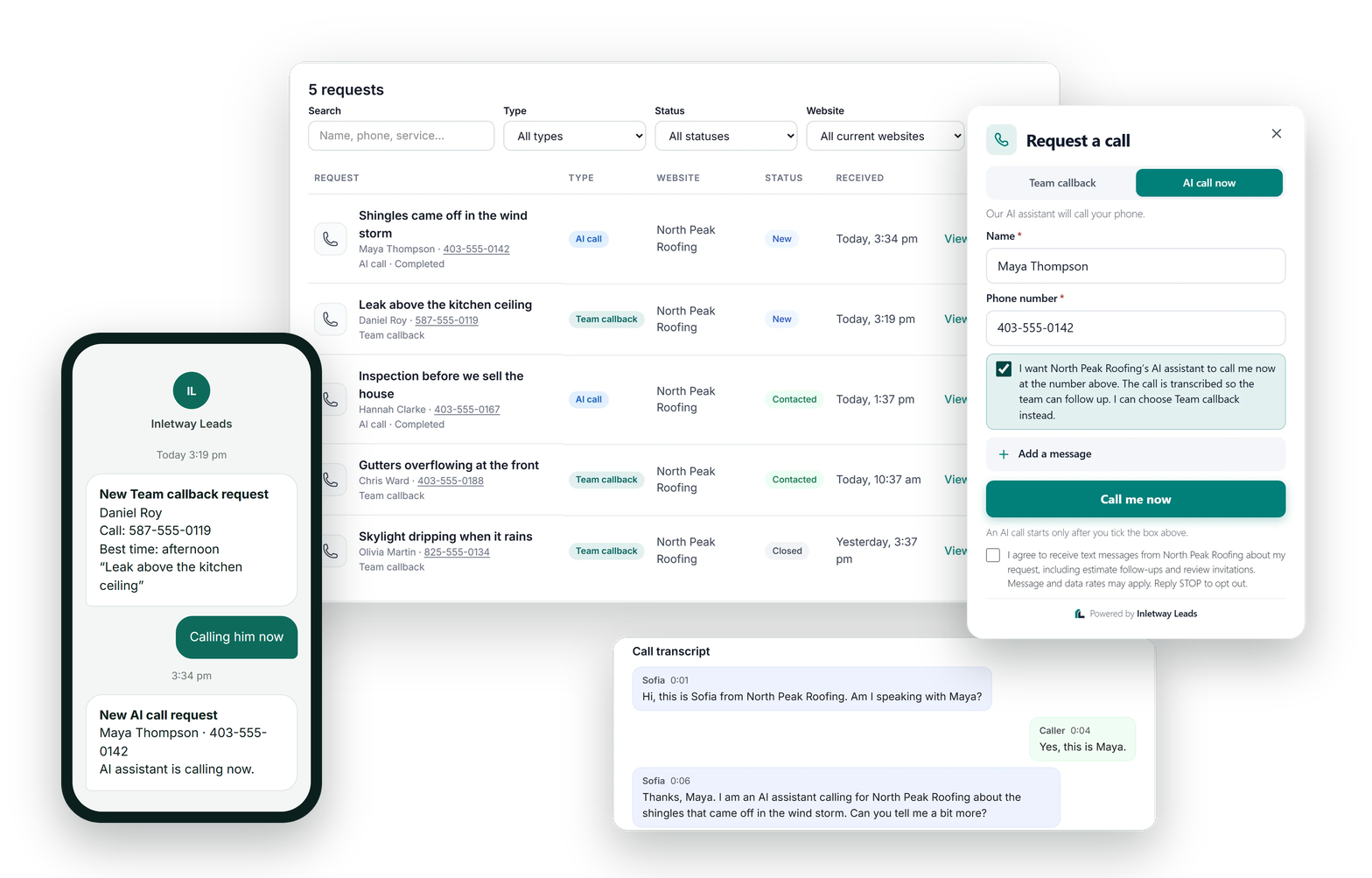
Inletway Leads puts a “Request a call” button on your website, texts your team the moment someone asks, and can have an AI assistant call them back right away. Every request lands in one inbox.
- Roofing
- HVAC
- Plumbing
- Electrical
- Windows & doors
- Landscaping
- Cleaning
- Renovations
Why it matters
You’re on a roof. A customer is on your website. Whoever calls back first usually gets the job.
Visitors won’t fill in long forms
A clear “Request a call” button asks for a name and a number, nothing else.
Website emails wait until evening
A text reaches whoever is on call, with the name, number and what they need.
Hours later, they’ve hired someone else
With AI calls on, the visitor gets a friendly call back right away, even on a Saturday.
The product
One system, from the first click to the callback.
01 · On your website
A call button your visitors actually use.
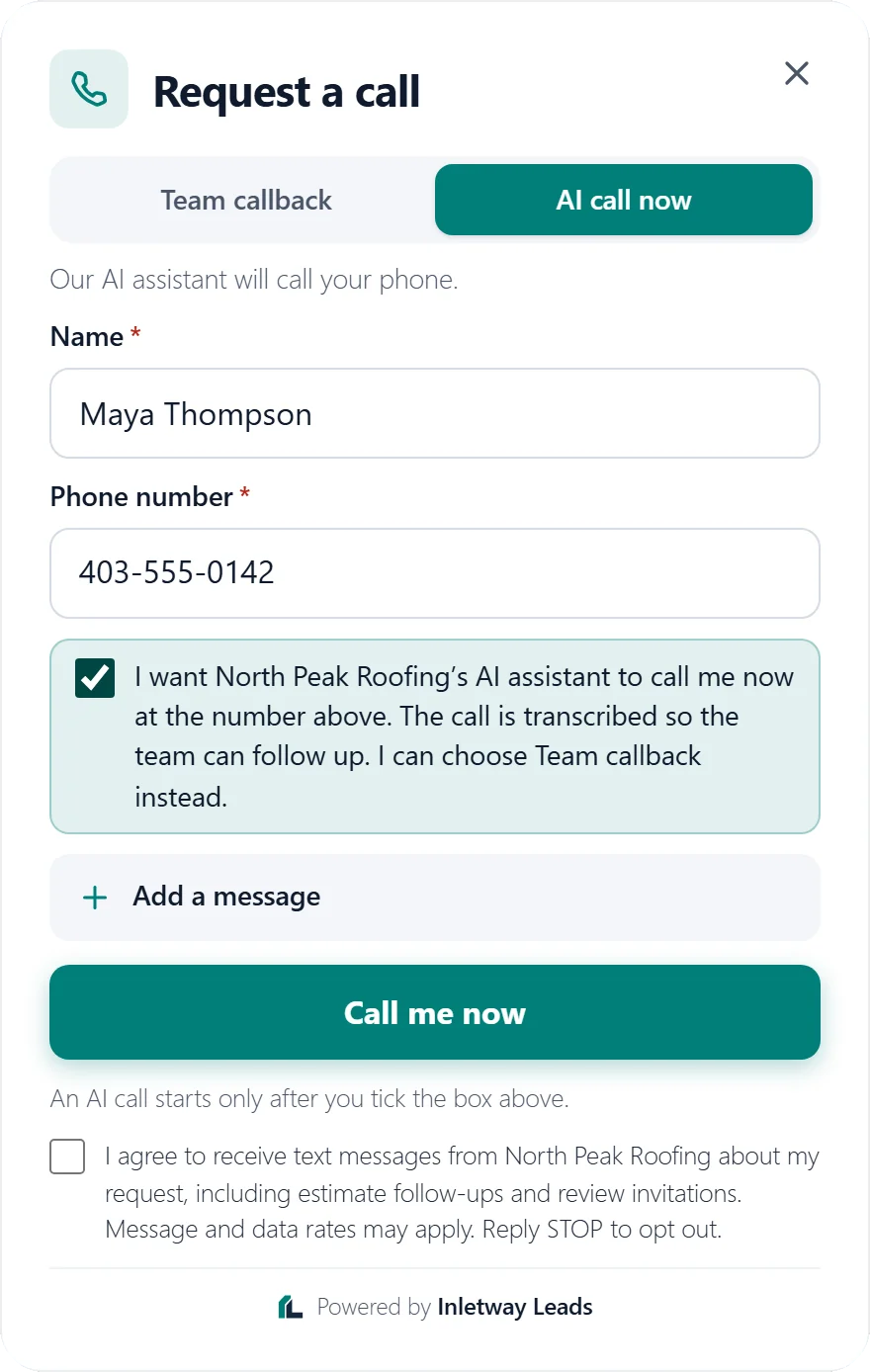
A clean “Request a call” button sits on every page. Visitors choose a team callback or an AI call now, leave a name and number, and they’re done in seconds. It matches your colours and works on phones.
- Spam protection built in
- Your wording, colours and button position
- Clear consent before any AI call
02 · On your phone
The details land in a text, in seconds.
Whoever is on call gets a text with the name, number and what the visitor needs. Tap to call back from the job site. No app to install, no inbox to check.
- Says whether it’s a team callback or an AI call
- Sent from a number we set up for you
- Pause texts any time from your dashboard
03 · AI calls
An AI assistant that calls back right away.
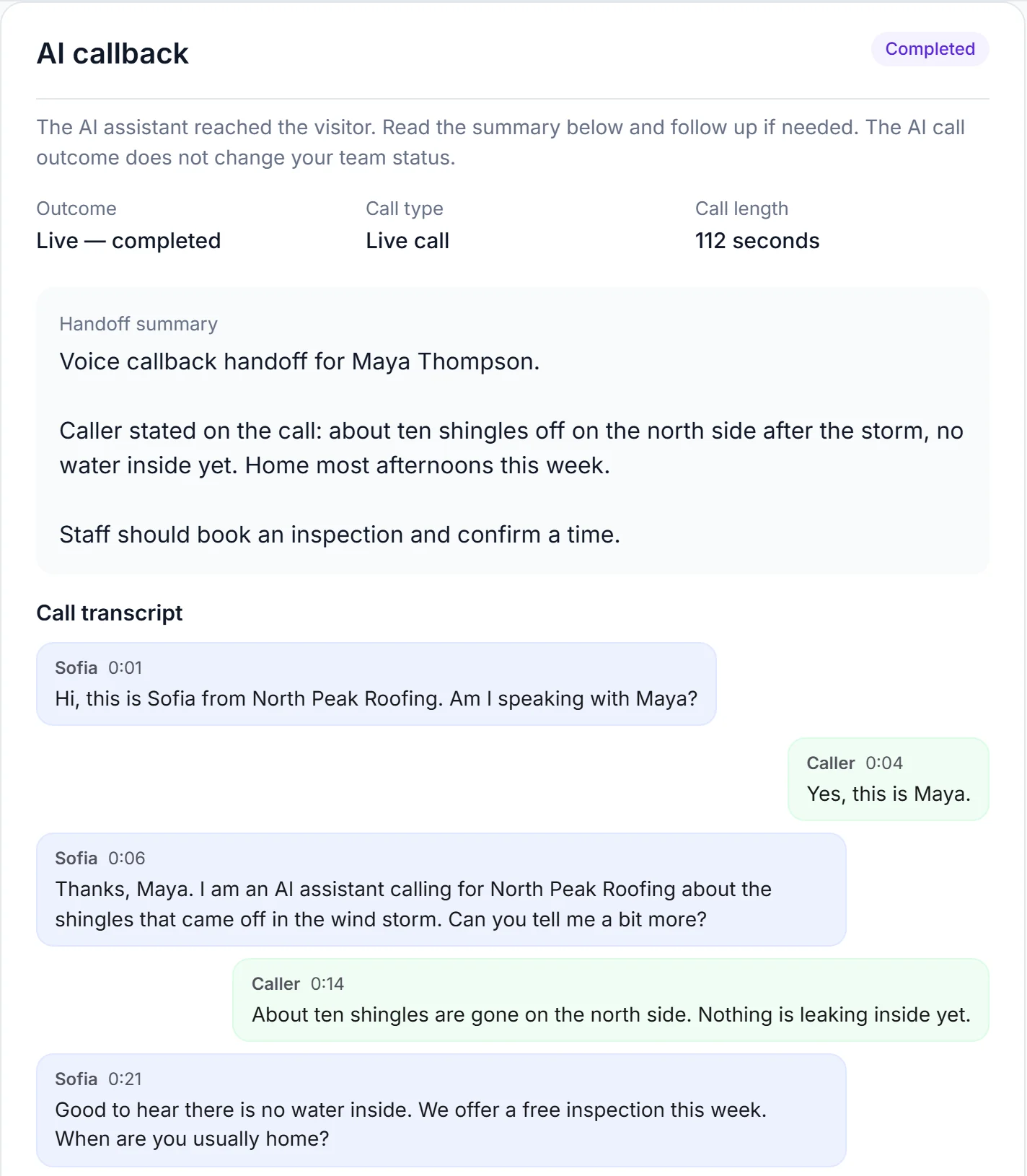
When a visitor asks for it, your assistant calls within moments: “Hi, this is Sofia from North Peak Roofing. Am I speaking with Maya?” It follows your script, answers only from information you approve, and hands every call to your team with a summary and full transcript.
- Your assistant’s name, greeting and call script
- Always says it’s an AI, and only calls after consent
- 100 AI minutes a month included, no overage charges
04 · Your dashboard
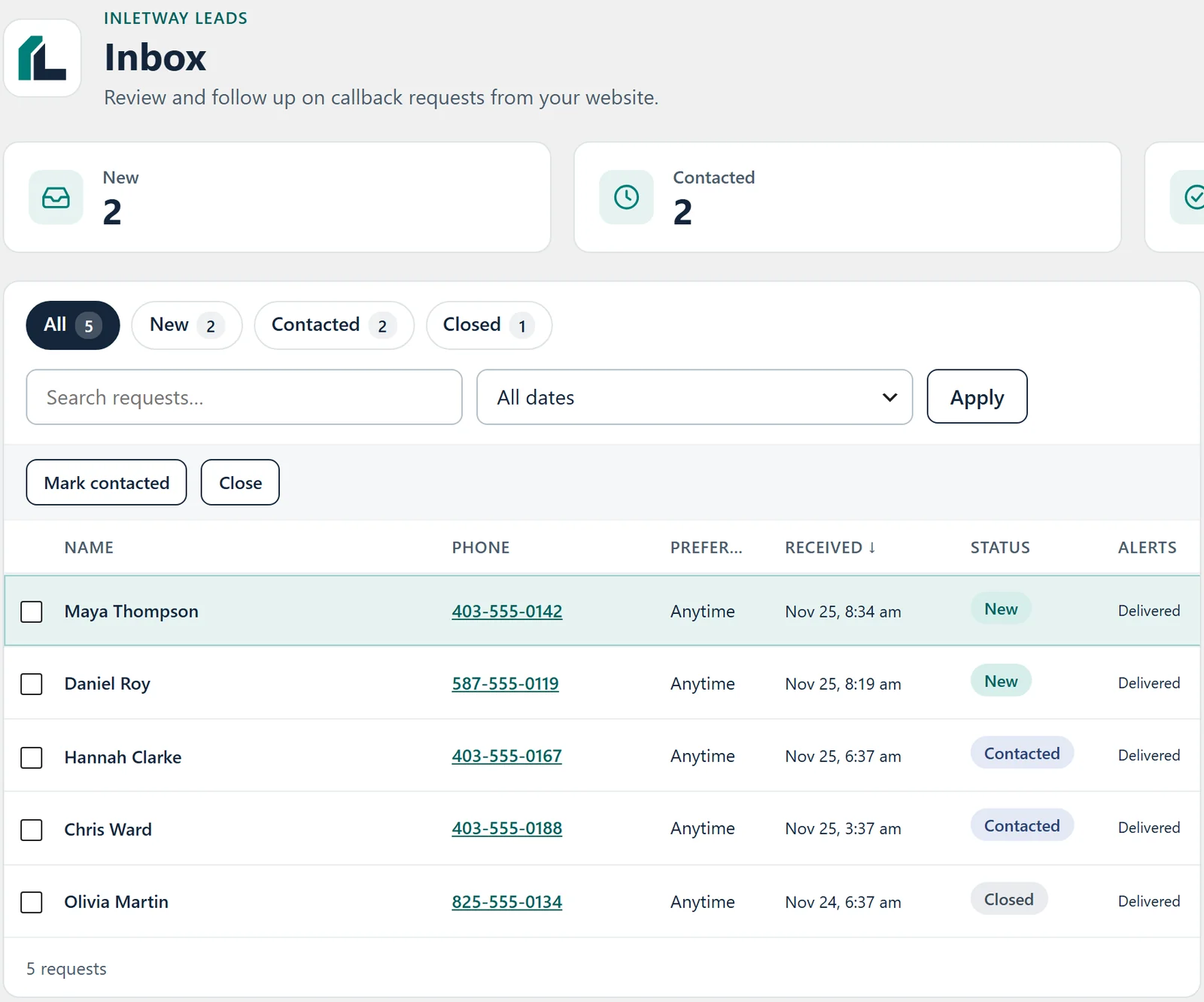
Every request in one inbox, never lost.
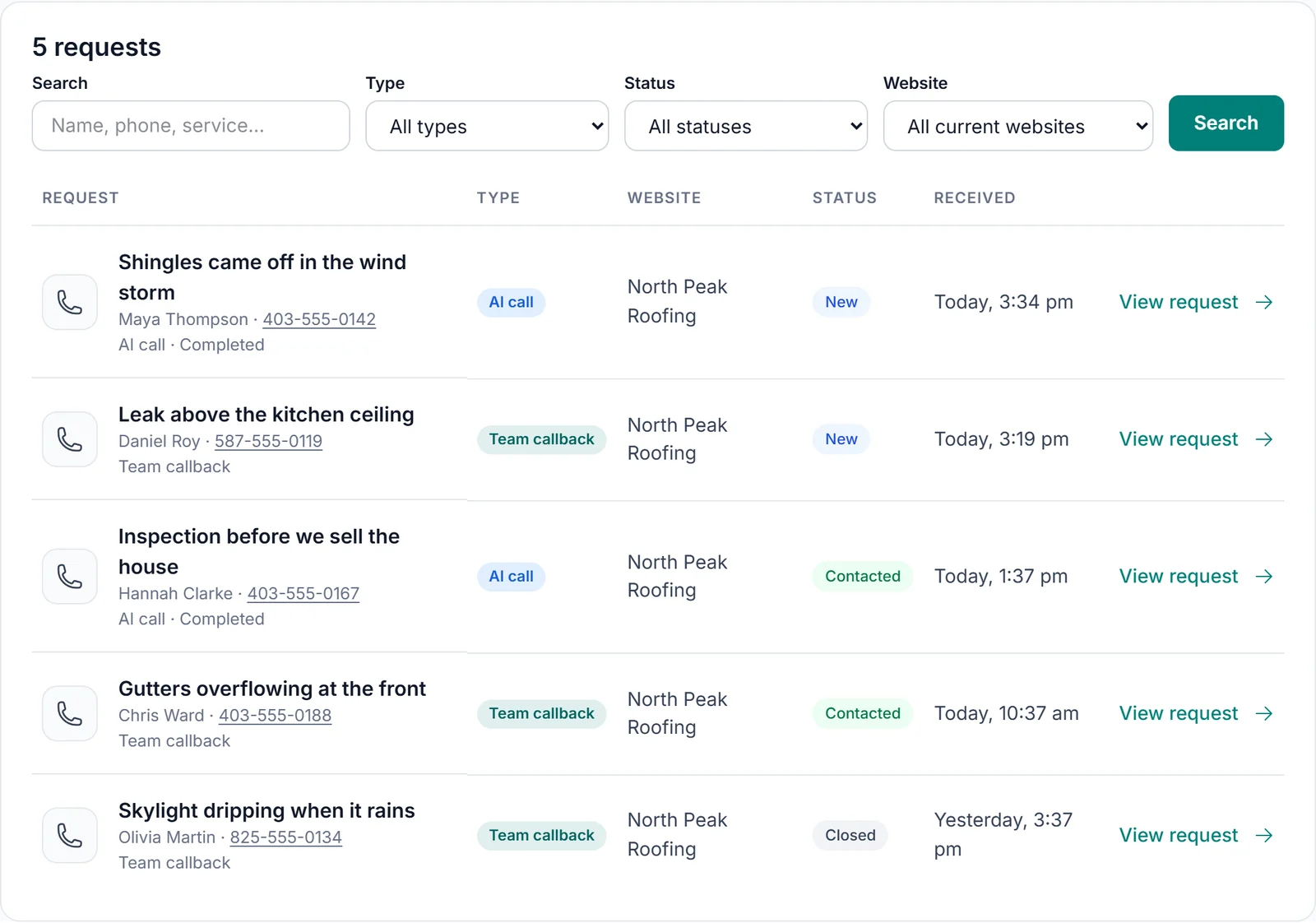
Callbacks, AI calls and quote requests sit side by side. Filter by type, mark who you’ve contacted, and read call results. On WordPress, changes reach your WordPress admin within seconds, and the page updates by itself.
- New, contacted and closed, kept in sync
- Works on your phone
- Search by name, phone or service
05 · Inside WordPress
Lives in WordPress, with quote forms built in.
One plugin adds the call button, a requests inbox in your WordPress admin, and quote forms that ask for the service, property size and timing, so you can price the job before you call.
Not on WordPress? One line of code adds the call button, text alerts and AI calls to Wix, Squarespace, Shopify and other sites. Requests go to your Inletway inbox.
- We install and connect it for you
- Updates arrive automatically
- Email notifications still work as a backup
How it works
Live on your website within a week. We do the setup.
Book a demo
A 15-minute call. We look at your website together and show you the whole system working.
We set it up
We install the plugin, match your branding, connect texts and write your AI assistant’s script with you.
Answer every lead
Requests come in, your phone buzzes, and the AI can call first. You follow up and win the job.
Pricing
One simple plan. Everything included.
No per-lead fees and no surprise overage charges. When your AI minutes run out, visitors are offered a team callback instead.
Compare what’s included →- Request-a-call button and popup
- Staff text alerts
- AI calls, 100 minutes a month
- Quote forms and the shared inbox
Canadian dollars, before tax. Optional C$99 one-time setup by IF Media.
Questions owners ask us
Do I need a WordPress website?
No. On WordPress, our plugin adds the call button, quote forms and an inbox inside your WordPress admin. On Wix, Squarespace, Shopify or any other site, you paste one line of code and get the call button, text alerts and AI calls, with every request in your Inletway inbox. We can add it for you.
Will the AI say something wrong to my customers?
It follows the script you approve, says it’s an AI, and hands anything it can’t answer to your team. You can read every call’s transcript.
Can I turn AI calls off?
Yes, with one switch. Visitors then see team callback only, and texts keep working.
Can my team call back from their own phones?
Yes. The text has the number to tap, and anyone on your team can mark the request as contacted in the inbox.
When does billing start?
When your website goes live with Inletway Leads, not when you sign up.
See it on your own website.
Book a 15-minute demo. We’ll show you the button, the text and an AI call, using your business name.