
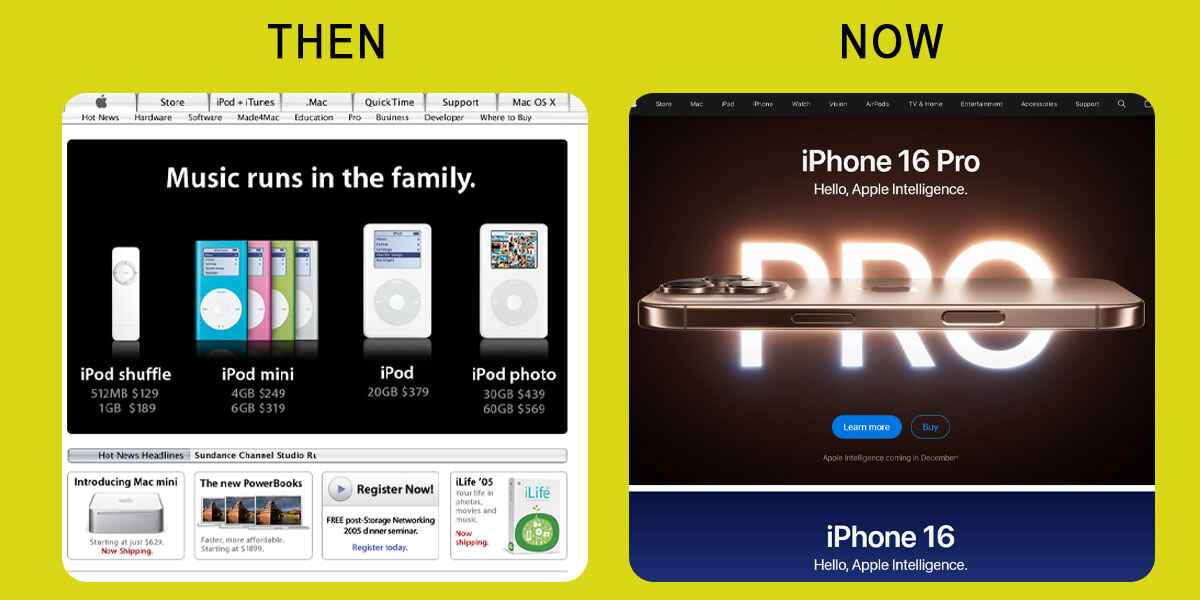
A website redesign often starts with something visible: an outdated layout, awkward mobile navigation, or photographs that no longer represent the business.
But the most important decisions happen before the new design takes shape. Which pages are already bringing customers? What information is missing? Who receives form submissions? What happens to existing links when the new site launches?
This website redesign checklist helps small businesses work through those questions—from reviewing the current site to checking the finished website after launch.
A website redesign often starts with something visible: an outdated layout, awkward mobile navigation, or photographs that no longer represent the business.
But the most important decisions happen before the new design takes shape. Which pages are already bringing customers? What information is missing? Who receives form submissions? What happens to existing links when the new site launches?
This website redesign checklist helps small businesses work through those questions—from reviewing the current site to checking the finished website after launch.
1. Define What the Redesign Needs to Achieve

Start with the problems you want to solve.
“Make the website look modern” is a reasonable design preference, but it does not provide enough direction for the project.
More useful goals might include:
- Helping visitors find the right service.
- Making quote requests easier on mobile.
- Presenting completed projects more clearly.
- Updating services and locations.
- Making routine content changes easier for your team.
Choose a few priorities and establish how you will assess them.
For example, if visitors struggle to enquire from their phones, the project should include reviewing the form, testing it on mobile devices, and confirming that submissions reach the right person.
2. Review What Your Current Website Already Does Well

A redesign should build on useful work.
Before changing pages, review available information from Google Search Console, your analytics, and customer enquiries.
Identify:
- Pages attracting relevant search traffic.
- Services generating enquiries.
- Articles customers find useful.
- Pages other websites link to.
- Common questions the website does not answer.
Record a baseline so you can compare performance after launch. Use a representative period and consider seasonal changes.
Do not assume a page has no value because its design looks old. Its information, address, or incoming links may still matter.
3. Create a Content and URL Inventory

List the current pages and decide what should happen to each one.
A simple planning table can prevent important content from disappearing during the build.
| Decision | When it makes sense |
|---|---|
| Keep | The page remains useful and accurate |
| Update | The topic matters, but the information needs improvement |
| Merge | Several pages answer substantially the same question |
| Remove | The content no longer serves a useful purpose |
Include each page’s existing URL, planned destination, and person responsible for the content.
Check traffic and relevant links before removing pages. If content is being replaced or merged, identify the closest useful replacement.
4. Plan Your Navigation and Main Pages
Organize the website around what customers need to find.
For a service business, that usually includes services, relevant experience, service areas, company information, and contact details.
Use familiar menu labels. Visitors should not need to interpret a creative phrase to find your services.
Give distinct services enough space to explain:
- Who the service is for.
- What is included.
- Where you provide it.
- How the process works.
- How to request more information.
Plan the structure before designing individual pages. This helps avoid attractive layouts that have no clear place for essential information.
5. Prepare the Content and Visuals
Content delays can hold up an otherwise straightforward project.
Assign responsibility for writing, reviewing, and approving each page. Gather the materials the designer needs, including:
- Current logos and brand colours.
- Accurate service descriptions.
- Original photographs.
- Approved testimonials.
- Project examples.
- Contact details and opening hours.
Confirm permission to publish customer names, photographs, and testimonials.
Check factual claims as well. If a case study says enquiries doubled, keep evidence supporting that statement. If you cannot verify it, describe the work and outcome without inventing a figure.
6. Agree on Scope, Ownership, and Ongoing Costs
Before development begins, confirm what is included.
The project agreement should identify the pages, features, content responsibilities, review stages, and launch support.
Clarify recurring costs for hosting, maintenance, software licences, and other services. Establish what happens when the project is complete and who handles future updates.
Your business should retain ownership of its domain and relevant accounts. Give providers appropriate access rather than relying on accounts held only in someone else’s name.
If hosting or DNS will change, document the existing setup—including email records—before making changes.
7. Build and Review on a Private Staging Site
A staging site provides a separate place to develop and review the new website before replacing the live version.
Protect it with access controls and keep it out of search results. A request asking search engines not to index a site is not a substitute for privacy protection.
Use the staging site to review real content rather than approving layouts filled with placeholder text.
Agree on how feedback will be collected and who can approve changes. One consolidated review is easier to act on than conflicting instructions from several people.
8. Design for Readability, Accessibility, and Mobile Use

Review the website as a working tool.
Check readable text, sufficient colour contrast, descriptive headings, and clear button labels. Forms should have visible labels and understandable error messages.
Test keyboard navigation, including whether people can see which link or control has focus. Check alternative text for meaningful images.
Automated accessibility tools can flag some issues, but manual checks are also necessary.
On phones, pay particular attention to menus, sticky elements, pop-ups, and forms. They should not block information or make basic tasks difficult.
9. Prepare Your SEO Migration Plan
Keep useful existing URLs where practical.
When an address must change, map the old page to its relevant replacement and arrange a permanent redirect. Avoid redirecting every removed page to the homepage.
If a page has no suitable replacement, an appropriate not-found response may be better than sending visitors somewhere unrelated.
Also review:
- Page titles and meta descriptions.
- Internal links.
- Important images and downloadable documents.
- Canonical URLs—the preferred addresses identified for search engines.
- The XML sitemap.
Have your developer check these details against the final live domain, especially when the build uses a temporary staging address.
10. Test Complete Customer Journeys
Clicking a button is only the beginning of a test.
Submit each enquiry form and confirm that the message arrives in the correct inbox. Check the confirmation shown to the visitor and any automated reply.
Test bookings, purchases, or account functions if your website includes them.
Review:
- Phone and email links.
- Menus and footer links.
- Downloads and embedded content.
- Form validation and spam protection.
- Common browsers and actual mobile devices.
- Loading behaviour on important pages.
For performance, use tools such as PageSpeed Insights alongside real browsing tests. Investigate problems that affect visitors rather than chasing a score without context.
11. Prepare a Launch and Recovery Plan

Choose a launch time when someone is available to respond to problems.
Take a current backup and confirm how the previous version could be restored if necessary. Identify who handles deployment, hosting changes, and final approval.
If the existing site receives orders, enquiries, or other new data, plan how that information will be preserved during the switch.
Immediately after deployment, check that:
- The public website loads securely.
- Intended public pages are accessible to search engines.
- Development-only indexing restrictions have been removed from those pages.
- The separate staging site remains protected.
- Forms and email delivery work.
- Redirects reach the correct destinations.
- Links and images use the live domain.
- Analytics operates as intended with your consent settings.
Repeat the most important customer journeys on the live website. A successful staging test does not replace a live check.
12. Monitor the Website After Launch
Launch day is a milestone, not the end of the project.
Check enquiries and essential functions immediately. Over the following weeks, review Search Console for indexing problems, unexpected errors, and changes affecting important pages.
Compare performance with your baseline while accounting for seasonality and other marketing activity.
Some search fluctuations can occur after substantial changes. Investigate specific problems before making another round of broad edits.
Assign ongoing responsibility for backups, security updates, content accuracy, and periodic form testing.
Website Redesign Checklist at a Glance
Before approving the relaunch, confirm:
- Business goals and project scope are agreed.
- Existing pages and useful content have been reviewed.
- Navigation and service information are clear.
- Content and image permissions are confirmed.
- Account ownership and recurring costs are documented.
- Mobile and accessibility checks are complete.
- URL changes and redirects are planned and tested.
- Forms deliver messages to the correct recipients.
- Backups and recovery arrangements are ready.
- Live-domain and indexing settings are checked.
- Someone is responsible for post-launch monitoring.
Common Questions About Website Redesigns
How often should a business redesign its website?
There is no fixed schedule. Review whether the website accurately represents your business, works reliably, and supports customer needs. Targeted improvements may be enough; a full rebuild is not always necessary.
How long does a redesign take?
Timing depends on the number of pages, required features, content preparation, integrations, and approval process. Ask for a schedule based on the agreed scope and clarify what your team needs to supply.
Can a redesign affect SEO?
Yes. Changes to content, URLs, internal links, and technical settings can affect search visibility. Reviewing the current site and preparing a migration plan helps manage the risks, but does not guarantee unchanged rankings.
What affects the cost?
The main factors include content work, page layouts, functionality, integrations, migration requirements, and ongoing support. Compare proposals by their deliverables and responsibilities rather than the headline price alone.
Plan the Relaunch Around Your Customers
A successful redesign should make your business easier to understand and your website easier to use.
Start by identifying what works, deciding what needs improvement, and assigning responsibility for the details that matter at launch.
IF Media Inc. provides website design for businesses and organizations in Medicine Hat and across Alberta. Contact our team to discuss your current website and plan the next stage.
Step 2: Check Site Speed
In today’s digital world, speed equals success. A slow site leads to higher bounce rates and lower conversions. Run your site through Google PageSpeed Insights or a website speed checker to find and fix issues with:
- Large images
- Render-blocking scripts
- Uncompressed code

Step 3: Review Your Content
Content is the heart of your website. Ask yourself:
- Is it up to date and relevant?
- Does it answer your audience’s questions?
- Are keywords naturally integrated into headings and text?
Refresh outdated pages, enhance clarity, and remove thin content that serves no purpose.
Step 4: Run an Accessibility Audit
An effective website is inclusive. Use Google Lighthouse to identify accessibility issues, such as missing alt tags or poor colour contrast. Making your site accessible not only expands your reach but also improves compliance and user experience.
Step 5: Test Mobile Responsiveness
With most users browsing on smartphones, your site must look and function well on all screen sizes. Test your website on multiple devices to confirm:
- Navigation is easy to use
- Text is legible without zooming
- Buttons and CTAs are easy to tap
The Payoff of a Website Audit
By conducting a thorough audit, you’ll gain a clear understanding of your site's current standing. More importantly, you’ll know exactly what to prioritize during your redesign, whether that’s improving speed, rewriting content, or enhancing mobile usability. This step becomes your blueprint for a successful website redesign checklist.
👉 Run a Free Website Audit Tool
Define Your Goals: What Do You Want to Achieve?
A website redesign involves more than just aesthetic changes; it aligns your online presence with your business goals. Establishing clear, measurable objectives for the redesign will inform every design, content, and technical decision you make.
Why Goals Matter
Your website is one of your most powerful business tools. Without goals, a redesign risks becoming cosmetic. With goals, you create a site that attracts more visitors, converts better, and builds a stronger brand.
Common Website Redesign Goals
1. Boost Website Traffic
If your site struggles to attract visitors, a redesign can help. Improvements in SEO, content, and technical performance can enhance your search rankings and attract more qualified traffic.
2. Drive Conversions
More traffic means little without conversions. Strategic calls to action, optimized landing pages, and improved user journeys guide visitors toward purchases, sign-ups, or inquiries.
3. Elevate Brand Perception
Your website is often the first impression people have of your brand. A redesign can showcase your values, personality, and credibility through consistent visuals, messaging, and storytelling.
4. Enhance User Experience
A successful site is fast, intuitive, and mobile-friendly. Clear navigation, engaging content, and an accessible design make it easy for visitors to find what they need and want to return.
How to Set SMART Goals for Your Website Redesign
To make your goals actionable, use the SMART framework:
- Specific: Increase organic traffic by 30%
- Measurable: Track conversion rates in Google Analytics
- Achievable: Set realistic improvements (not “rank #1 for everything”)
- Relevant: Tie goals directly to business growth
- Time-Bound: Aim for results within 3–6 months of launch
Content Strategy: The Foundation of Your Goals
Your content drives both traffic and conversions, so it must align with your redesign goals.
Find the Right Keywords
Conduct keyword research to identify terms your audience is searching for. Use free tools like Google Keyword Planner or advanced platforms like Ahrefs and SEMrush.
Create Content That Engages
High-quality content should inform, solve problems, and motivate action. Blog posts, videos, case studies, and interactive tools can all engage visitors while supporting your SEO.
Optimize for Search Engines
Even strong content needs optimization. Use keywords naturally, write compelling meta descriptions, and structure with proper headings. This makes it easier for both readers and Google to understand your content.
Design with Purpose: User Experience is Key
Your website’s design is more than just its appearance; it’s the foundation of a strong user experience (UX). Think of it as your digital storefront. Visitors decide in seconds whether to stay, explore, or leave, based on how your site feels and functions. A strategic design strikes a balance between aesthetics, usability, and conversion.
Modern Yet Timeless Design
A clean, professional layout reflects your brand and keeps visitors engaged. While it’s tempting to chase the latest design trends, timeless principles last longer. Focus on:
- Simple, uncluttered layouts
- Consistent use of colour and typography
- Visuals that support your message
This approach ensures your site looks modern without feeling outdated within a year.
Intuitive Navigation
Confusing navigation is one of the fastest ways to lose visitors. Keep your site structure clear and logical by:
- Using simple menu labels (e.g., “Services,” “Blog,” “Contact”)
- Creating a logical page hierarchy
- Adding a visible search function
When navigation feels effortless, visitors stay longer and find what they need faster.
Strategic Calls to Action (CTAs)
A call to action guides visitors toward the next step — whether that’s making a purchase, filling out a form, or booking a consultation. To maximize conversions:
- Use short, action-oriented text (“Get Started,” “Book a Call”)
- Place CTAs in multiple spots (top, middle, bottom of page)
- Make buttons stand out with contrasting colours
Think of CTAs as signposts on your website, directing visitors toward opportunities for conversion.
Why UX-Driven Design Matters
Great design isn’t about decoration — it’s about results. When your site is easy to navigate, visually consistent, and conversion-focused, you’ll reduce bounce rates, improve engagement, and turn more visitors into customers.
Don't Skip Testing! Ensure a Smooth Launch

You’ve put time, effort, and resources into your website redesign. The design looks great, the content is polished, and the technology is in place. But before hitting the “Go Live” button, you must run a website testing checklist. Testing ensures everything works smoothly and delivers the experience your visitors expect.
Functionality Testing
Click every link, test every form, and interact with every button. Look for:
- Broken links or 404 errors
- Non-working forms or checkout issues
- Missing redirects or error messages
Catching these issues now prevents user frustration later.
Usability Testing
A beautiful design is useless if visitors can’t navigate it. Test with real users to answer questions like:
- Can visitors find key information quickly?
- Is navigation simple and intuitive?
- Can they complete important actions (purchase, sign-up, contact)?
Compatibility Testing
Your site must perform consistently across devices and browsers. Test on:
- Chrome, Firefox, Safari, Edge
- Desktop, laptop, tablet, smartphone
This ensures that all visitors see the same experience, regardless of how they access your site.
Launch and Monitor: The Journey Continues
Launching your website isn’t the end; it’s the beginning of ongoing optimization. Treat your site as a living asset that requires regular maintenance and attention.
Track Your Progress
Use tools like Google Analytics to monitor:
- Traffic growth
- Bounce and conversion rates
- Top-performing pages
This gives you a clear “report card” for your site.
Gather User Feedback
Encourage visitors to share their experience through:
- On-site surveys
- Customer reviews
- Social media feedback
Real user insights show what’s working and what needs improvement.
Make Ongoing Adjustments
The digital world moves fast. Keep your website updated by:
- Refreshing content regularly
- Optimizing CTAs and forms
- Improving performance and security as technology evolves
A successful redesign isn’t a one-time project; it’s an ongoing process.
Final Thoughts
Your website is your online hub and a key driver of business success. By following this website redesign checklist, you can launch a site that looks great, performs well, and grows with your business.
Suggested FAQ Section
How often should I redesign my website?
Most businesses benefit from a redesign every 2–3 years. Technology, design trends, and user expectations change quickly, so updating your site regularly helps you stay competitive and maintain strong SEO performance.
How long does a website redesign take?
A typical website redesign typically takes 6–12 weeks, depending on the site's size and complexity. Smaller sites may be ready faster, while larger projects with custom features may take longer.
Does a website redesign affect SEO?
Yes, a redesign can affect SEO in both positive and negative ways. If executed properly with appropriate redirects, enhanced performance, and better content, it can improve rankings. However, if important URLs or content are lost during the process, it can harm SEO. It is essential to conduct an SEO audit both before and after the launch.
How much does a website redesign cost?
The cost of a redesign depends on factors like site size, functionality, and design requirements. A small business site may cost a few thousand dollars, while larger, feature-rich projects can be much higher. At If Media, we offer affordable packages tailored to business needs.
Is your website feeling outdated, slow, or struggling to keep visitors engaged? In today’s fast-paced digital world, a stagnant site can be a real barrier to business growth. But don't worry, we're here to help you overcome this struggle.
That’s why we created this comprehensive website redesign checklist. It’s your all-in-one guide to planning, auditing, and relaunching your site the right way. From running a full website audit to refreshing content, improving design, and boosting performance, you’ll learn exactly how to transform your site into a modern, conversion-ready platform.
By the end, you’ll have a clear roadmap (plus a free downloadable checklist) to ensure your redesign not only looks great but also performs better in search engines and attracts more customers. Get ready to see your business grow with these exciting benefits!
Website Audit: Your Digital Check-Up
Before beginning any redesign, it's essential to understand the current state of your website. A website audit serves as a health check-up for your online presence. The goal is not only to identify problems but also to highlight strengths, uncover weaknesses, and gather insights that will inform your redesign strategy.
Why a Website Audit Matters
A website audit evaluates your site's current performance by examining its design, content, speed, and technical SEO. Without conducting an audit, you risk redesigning your site without insight, potentially overlooking critical issues that can impact traffic and conversions.

Step 1: Analyze Performance
Use Google Analytics or other tracking tools to review:
- Traffic sources (organic, paid, social, referral)
- Top-performing pages vs. high-exit pages
- Conversion paths (are your CTAs working?)
This data helps you understand what’s engaging visitors and what needs improvement.
Step 2: Check Site Speed
In today’s digital world, speed equals success. A slow site leads to higher bounce rates and lower conversions. Run your site through Google PageSpeed Insights or a website speed checker to find and fix issues with:
- Large images
- Render-blocking scripts
- Uncompressed code
Step 3: Review Your Content
Content is the heart of your website. Ask yourself:
- Is it up to date and relevant?
- Does it answer your audience’s questions?
- Are keywords naturally integrated into headings and text?
Refresh outdated pages, enhance clarity, and remove thin content that serves no purpose.
Step 4: Run an Accessibility Audit
An effective website is inclusive. Use Google Lighthouse to identify accessibility issues, such as missing alt tags or poor colour contrast. Making your site accessible not only expands your reach but also improves compliance and user experience.
Step 5: Test Mobile Responsiveness
With most users browsing on smartphones, your site must look and function well on all screen sizes. Test your website on multiple devices to confirm:
- Navigation is easy to use
- Text is legible without zooming
- Buttons and CTAs are easy to tap
The Payoff of a Website Audit
By conducting a thorough audit, you’ll gain a clear understanding of your site's current standing. More importantly, you’ll know exactly what to prioritize during your redesign, whether that’s improving speed, rewriting content, or enhancing mobile usability. This step becomes your blueprint for a successful website redesign checklist.
👉 Run a Free Website Audit Tool
Define Your Goals: What Do You Want to Achieve?
A website redesign involves more than just aesthetic changes; it aligns your online presence with your business goals. Establishing clear, measurable objectives for the redesign will inform every design, content, and technical decision you make.
Why Goals Matter
Your website is one of your most powerful business tools. Without goals, a redesign risks becoming cosmetic. With goals, you create a site that attracts more visitors, converts better, and builds a stronger brand.
Common Website Redesign Goals
1. Boost Website Traffic
If your site struggles to attract visitors, a redesign can help. Improvements in SEO, content, and technical performance can enhance your search rankings and attract more qualified traffic.
2. Drive Conversions
More traffic means little without conversions. Strategic calls to action, optimized landing pages, and improved user journeys guide visitors toward purchases, sign-ups, or inquiries.
3. Elevate Brand Perception
Your website is often the first impression people have of your brand. A redesign can showcase your values, personality, and credibility through consistent visuals, messaging, and storytelling.
4. Enhance User Experience
A successful site is fast, intuitive, and mobile-friendly. Clear navigation, engaging content, and an accessible design make it easy for visitors to find what they need and want to return.
How to Set SMART Goals for Your Website Redesign
To make your goals actionable, use the SMART framework:
- Specific: Increase organic traffic by 30%
- Measurable: Track conversion rates in Google Analytics
- Achievable: Set realistic improvements (not “rank #1 for everything”)
- Relevant: Tie goals directly to business growth
- Time-Bound: Aim for results within 3–6 months of launch
Content Strategy: The Foundation of Your Goals
Your content drives both traffic and conversions, so it must align with your redesign goals.
Find the Right Keywords
Conduct keyword research to identify terms your audience is searching for. Use free tools like Google Keyword Planner or advanced platforms like Ahrefs and SEMrush.
Create Content That Engages
High-quality content should inform, solve problems, and motivate action. Blog posts, videos, case studies, and interactive tools can all engage visitors while supporting your SEO.
Optimize for Search Engines
Even strong content needs optimization. Use keywords naturally, write compelling meta descriptions, and structure with proper headings. This makes it easier for both readers and Google to understand your content.
Design with Purpose: User Experience is Key
Your website’s design is more than just its appearance; it’s the foundation of a strong user experience (UX). Think of it as your digital storefront. Visitors decide in seconds whether to stay, explore, or leave, based on how your site feels and functions. A strategic design strikes a balance between aesthetics, usability, and conversion.
Modern Yet Timeless Design
A clean, professional layout reflects your brand and keeps visitors engaged. While it’s tempting to chase the latest design trends, timeless principles last longer. Focus on:
- Simple, uncluttered layouts
- Consistent use of colour and typography
- Visuals that support your message
This approach ensures your site looks modern without feeling outdated within a year.
Intuitive Navigation
Confusing navigation is one of the fastest ways to lose visitors. Keep your site structure clear and logical by:
- Using simple menu labels (e.g., “Services,” “Blog,” “Contact”)
- Creating a logical page hierarchy
- Adding a visible search function
When navigation feels effortless, visitors stay longer and find what they need faster.
Strategic Calls to Action (CTAs)
A call to action guides visitors toward the next step — whether that’s making a purchase, filling out a form, or booking a consultation. To maximize conversions:
- Use short, action-oriented text (“Get Started,” “Book a Call”)
- Place CTAs in multiple spots (top, middle, bottom of page)
- Make buttons stand out with contrasting colours
Think of CTAs as signposts on your website, directing visitors toward opportunities for conversion.
Why UX-Driven Design Matters
Great design isn’t about decoration — it’s about results. When your site is easy to navigate, visually consistent, and conversion-focused, you’ll reduce bounce rates, improve engagement, and turn more visitors into customers.
Don't Skip Testing! Ensure a Smooth Launch
You’ve put time, effort, and resources into your website redesign. The design looks great, the content is polished, and the technology is in place. But before hitting the “Go Live” button, you must run a website testing checklist. Testing ensures everything works smoothly and delivers the experience your visitors expect.
Functionality Testing
Click every link, test every form, and interact with every button. Look for:
- Broken links or 404 errors
- Non-working forms or checkout issues
- Missing redirects or error messages
Catching these issues now prevents user frustration later.
Usability Testing
A beautiful design is useless if visitors can’t navigate it. Test with real users to answer questions like:
- Can visitors find key information quickly?
- Is navigation simple and intuitive?
- Can they complete important actions (purchase, sign-up, contact)?
Compatibility Testing
Your site must perform consistently across devices and browsers. Test on:
- Chrome, Firefox, Safari, Edge
- Desktop, laptop, tablet, smartphone
This ensures that all visitors see the same experience, regardless of how they access your site.
Launch and Monitor: The Journey Continues
Launching your website isn’t the end; it’s the beginning of ongoing optimization. Treat your site as a living asset that requires regular maintenance and attention.
Track Your Progress
Use tools like Google Analytics to monitor:
- Traffic growth
- Bounce and conversion rates
- Top-performing pages
This gives you a clear “report card” for your site.
Gather User Feedback
Encourage visitors to share their experience through:
- On-site surveys
- Customer reviews
- Social media feedback
Real user insights show what’s working and what needs improvement.
Make Ongoing Adjustments
The digital world moves fast. Keep your website updated by:
- Refreshing content regularly
- Optimizing CTAs and forms
- Improving performance and security as technology evolves
A successful redesign isn’t a one-time project; it’s an ongoing process.
Final Thoughts
Your website is your online hub and a key driver of business success. By following this website redesign checklist, you can launch a site that looks great, performs well, and grows with your business.
Suggested FAQ Section
How often should I redesign my website?
Most businesses benefit from a redesign every 2–3 years. Technology, design trends, and user expectations change quickly, so updating your site regularly helps you stay competitive and maintain strong SEO performance.
How long does a website redesign take?
A typical website redesign typically takes 6–12 weeks, depending on the site's size and complexity. Smaller sites may be ready faster, while larger projects with custom features may take longer.
Does a website redesign affect SEO?
Yes, a redesign can affect SEO in both positive and negative ways. If executed properly with appropriate redirects, enhanced performance, and better content, it can improve rankings. However, if important URLs or content are lost during the process, it can harm SEO. It is essential to conduct an SEO audit both before and after the launch.
How much does a website redesign cost?
The cost of a redesign depends on factors like site size, functionality, and design requirements. A small business site may cost a few thousand dollars, while larger, feature-rich projects can be much higher. At If Media, we offer affordable packages tailored to business needs.

0 Comments